
Roblox
Roblox Corporation
Screenshots
About this app
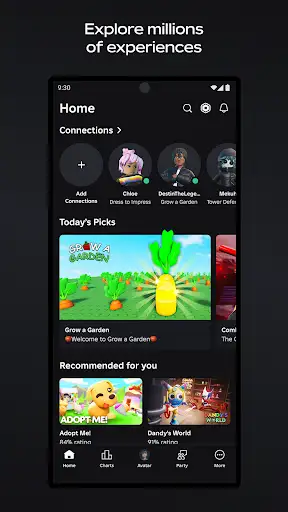
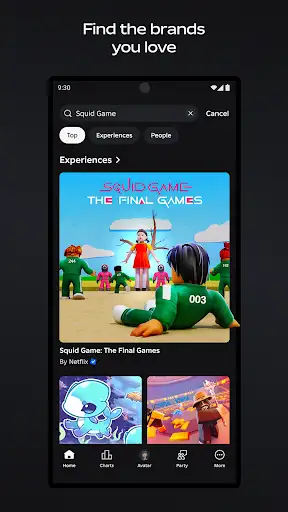
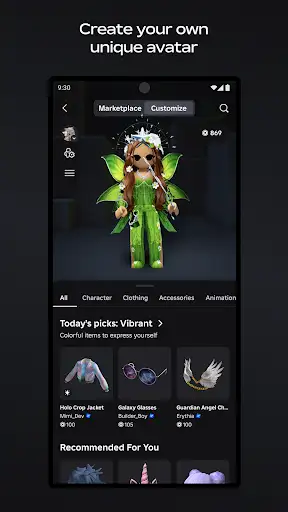
Roblox mobile puts a chaotic carnival of player-made games in your pocket. Want to race go-karts one minute and act out a diner soap opera the next? That’s here. Want to build a tiny shop and watch strangers trade you a neon sword for a hat? Also here. This is a platform, not a single game — which means the rules change depending on which experience you load. I fired it up and got lost for hours. I got stuck in an obby for two hours — no joke — my thumbs cramped, my heart raced, and I swore at a jump I still can’t explain. But then I joined a chill hangout and actually made a friend who taught me how to style an avatar (she kept calling me “retro dad”; I took it as a compliment). That’s the point: expect chaos, expect gems, expect weirdness. How to use it: download, sign in (or make an account), pick an experience, and hit play. You can search by genre, trending lists, or direct invites. Create if you want — Roblox Studio on PC/Mac is where the serious building happens; the mobile app is mostly for play and socializing, though you can tweak some things on the go. "You coming?" "On my way." — short chats like this happen every hour. Pause. Think about what you want — a casual hangout, full-on competitive matches, goofy roleplay, or a tiny dev experiment. This isn’t a parental paradise by default (use the safety settings). Don’t expect every game to be polished. Some experiences are absolute diamonds; others are glorified prototypes someone slapped together at 3 a.m. But that’s also kind of the fun — discovery is half the joy. Features at a glance: millions of user-created experiences, cross-device play (mobile, PC, console, VR), avatar customization, parties and chat for friends 13+, and a creator pipeline via Roblox Studio. Safety tools exist: content filters, parental controls, and moderation teams — they help, but a parent should set them up and not assume they’re perfect. Who should try it: kids with supervision, teens, casual gamers who like variety, and anyone curious about making their own game. If you want a single linear campaign with a neat ending — this isn’t that. If you want endless oddball adventures and to occasionally lose hours because of one tiny addiction loop — welcome.
Editor's Review
I don’t review many apps at 2 a.m., but Roblox pulled me back like a late-night snack I couldn’t refuse. First, the scale: it’s massive. You hop from simulator to roleplay to PvP to whatever someone dreamed up and released yesterday. Some of it looks rough. Some of it is shockingly clever. I laughed. I raged. I rage-quit an obby and came back two minutes later because a friend needed backup. This is my honest take: the platform’s freedom is its strength and its pain. Don’t expect uniform quality. Don’t expect a single developer polishing things to a bright sheen. Expect a million creators — some brilliant, some lazy — and a system that rewards curiosity. I spent an embarrassingly long time hunting for a specific hat. (Yes, priorities.) "Dude, trade me that hat." "You got the coin?" — I said things like this. Real talk. What I liked: the social hooks are strong (party invites actually work), cross-play is reliable, and avatar options keep me tinkering. What I didn’t like: moderation can lag in niche corners, and microtransactions are everywhere — so set expectations if a kid has the account. Also, mobile controls sometimes feel fiddly for fast-action obbies — I kept dying to the same stupid ledge. Would I recommend it? Absolutely — but with caveats. If you want polished single-player stories, look elsewhere. If you want endless, sometimes brilliant, sometimes maddening player-made content and a social playground, download it. Then set the parental controls, join a party, and prepare to waste time gloriously.
Pros
- Huge variety: thousands of distinct player-made games to discover daily
- Strong social features: parties, cross-platform play, and in-game chat for friends
- Robust avatar system: endless customization and marketplace items
- Easy entry for creators via Roblox Studio on desktop
Cons
- Quality is inconsistent — expect both gems and half-finished projects
- In-app purchases are prevalent; kids can spend quickly without supervision
- Mobile controls can be clumsy for precise platforming or fast action
- Moderation helps but isn’t perfect in every niche community
Additional Information
You May Also Like