
Ticket to Ride® Companion
Marmalade Game Studio
Screenshots
About this app
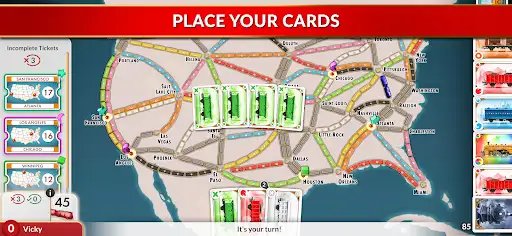
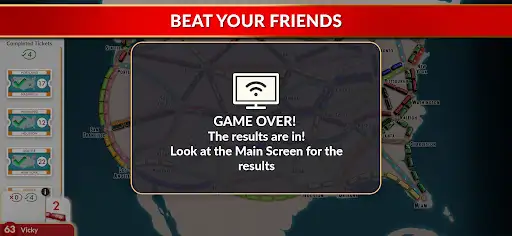
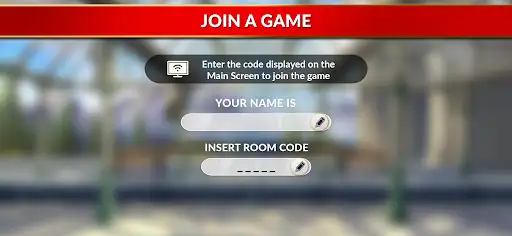
You want a clean couch-board-game night without the awkward lean-and-peek routine. This app does one job and it does it plainly: it moves your secret hand to your phone so nobody at the table sees your tickets or cards. Set up is straightforward: boot the main game on your console or Steam, choose ‘Couch’, type the code shown on the big screen into your phone app, and boom—your hand goes private. Short paragraph: it’s not trying to be fancy. It’s a privacy tool for in-person play. "Wait—how do I play then?" someone always asks. You still pick cards and claim routes on the big screen. The app shows your tickets and private cards only to you. You drag, tap, confirm. That’s it. I used it with a chaotic family session (my sister cheated—no, seriously). I had my tickets safe on my phone while the rest of them shouted at the map. It felt weirdly satisfying. Pause. It’s not perfect. Sometimes the pairing wants both devices on the same network; sometimes it works over internet. Don’t assume miracles—be ready to refresh the code and breathe. A brief dialogue, because I love recreating the chaos: Player: "I can see your cards!" Me: "Nope. You wish. They’re on my phone." The app targets people who own the base title on PlayStation, Switch, Xbox, or Steam and who still prefer face-to-face play with modern conveniences. Families, tabletop groups, and anyone who hates accidental peeks will like this. It’s not for solo players. It’s not a full digital port. It’s a bridge—simple, stubborn, and human. Small caveat: if you expect cloud saves or cross-platform game hosting here, don’t. This is a companion — it keeps secrets, not miracles. But if you want your private tickets actually private while the rest of the table speculates, this app delivers.
Editor's Review
I’ll be blunt: I brought this to a Sunday night with friends and it saved our sanity. I’d lost track of how many times someone would casually lean over and ruin my route. With the app, my tickets hid on my phone like a shy raccoon. I set it up in under a minute—game on Switch, choose ‘Couch’, type the code. Done. No fuss. No dramatic cable juggling. That said, it’s not flawless. I got kicked off once mid-game (network hiccup?), and yes—my thumb left a nervous groove in the controller while I waited two minutes for it to reconnect. I was irritated. Also, the UI could be less cramped—tiny text sometimes, especially in low light (and we all play in low light, right?). Mild complaints. Nothing fatal. Dialogue moment: Friend: "Are you sure your tickets are private?" Me: "Trust me—or don’t. They’re on my phone." What I liked: privacy that actually feels private, quick pairing, and how it keeps the table focused on the big screen. What I disliked: occasional connection flakiness and a UI that could breathe more. Would I recommend it? Yep. But don’t expect it to replace the main game—it complements it. Use it if you play local multiplayer and you hate accidental peeks. Simple as that. I’ll be using it next time I’m surrounded by sneaky siblings.
Pros
- Keeps players' tickets and cards hidden on a personal device
- Pairs quickly via the on-screen Couch code for fast setup
- Freed up the big screen for everyone to watch the progress
- Fits perfectly into family or party board game nights
Cons
- Occasional connection hiccups that require re-entering the code
- Small text and cramped UI in dim lighting
- Requires owning the base game on console/PC (not standalone)
- Not meant for online-only or solo play
Additional Information
You May Also Like